Last week the general availability of the Veeam Data Platform 13.1 went live and there have been some great blog posts highlighting the big ticket items that came in this minor release.
Brad put together this post on the themes around 13.1 and targeted areas to continue to enable our customers to protect their ever changing estates.
https://www.veeam.com/blog/veeam-data-platform-v13-1-identity-cyber-ai.html
Anthony got into some of this but has a focus around the hypervisor support and continued coverage we continue to strive to help our customers protect their virtual machines.
I wanted to take one of those features that I actually believe could be a pretty big deal for those looking after the data across a business.. Anthony mentioned the Application Backup Repository in his post,
Application Backup Repository, which takes the Veeam Infrastructure Appliance running in Hardened Repository mode and turns local storage into a pool of virtual volumes, each one exposed as its own NFS target. Applications write to it directly with no awareness of Veeam underneath, while Veeam handles snapshots, immutability and access control behind the scenes. Oracle RMAN Incremental Merge is the flagship use case, but the door is open to anything from IoT devices to standalone databases that can export or dump data to NFS.
When we were first briefed on this feature, I was thinking of all the use cases that this could really help our customers. In this post I want to cover from the Veeam side, how do we get an Application Backup Repository setup and then touch on what I think could be a massive use case for this feature.
Getting Started with the Application Backup Repository (ABR)
To note, most of the screenshots I share are from a beta / technical preview and not the GA code so might differ slightly but the standard wizard driven approach won’t be far from the reality in the GA code. As Anthony states this is an extenstion and use case that leverages the Veeam Infrastructure Appliance, this is a packaged up ISO or OVA that enables you to simply deploy to your environment and then add to your overall Veeam Backup & Replication environment.
What is the Application Backup Repository?
- A new repository type in VBR – ’Smart’ NFS Share:
- If you export data to it, it is protected.
- Veeam Schedules Snapshots and Backup Copy
- Instant Recovery & Rollback: Full snapshot revert or Granular recovery
Why?
Veeam have been great with bringing out Enterprise Application plugins and providing application consistency and bridging the gap between application and database owners with making sure that backup admins have a grasp on what is being protected vs App owners going rogue and just storing large backup files where they wish, sometimes not storing in great places… we all saw the agentic situation that deleted the database and its backups… dont store backups on the same machine… bad idea!
This feature provides a catch all for those applications where there is not yet the enterprise application integration with Veeam. It was also the basis of large database incrementals for Oracle. But the oppurtunity here is the platforms that are not natively supported by Veeam yet today as well. Think about the databases running on a docker host in a container, Database as a Service offerings like Supabase, PlanetScale, MongoDB and this list is getting longer and longer as well as anything that exports a configuration such as a switch or other network devices.
How?
The quick how is, deployed as a Veeam Infrastructure Appliance that enables an NFS export. •Applications write native exports/dumps directly to the NFS share on their own schedule (cron, DBaaS export, Proxmox LXC backup, network device config export, etc.)
Veeam then takes scheduled snapshots, which can then be backed up to other storage types for longer term retentions and offsite copies.
Restore wise, this offers the ability to restore from snapshot, ‘Revert Snapshot’ (full rollback of the NFS export) or ‘Export Snapshot’ (mount as temp read-only path for granular restore)
This VIA leverages the immutability flag meaning that we have an immutable copy stored as well as being able to backup copy to a secondary location.
We should consider one application per repository as the snapshot revert will apply to the entire dataset.
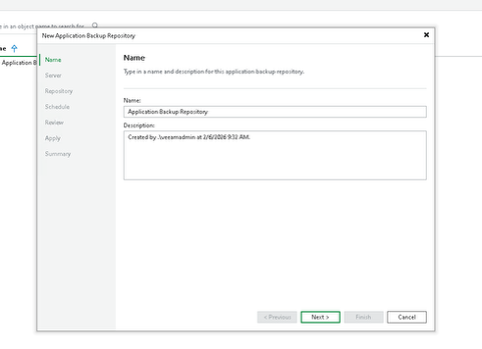
To get started we are going to deploy our new Veeam Infrastructure Appliance with our required disk layout to store our backups, in my case I am doing this on a VM but this could be a physical storage server as well. When we have that new Veeam server added to our managed servers we can go and create our new Application Backup Repository. Give it an appropriate name and click next.
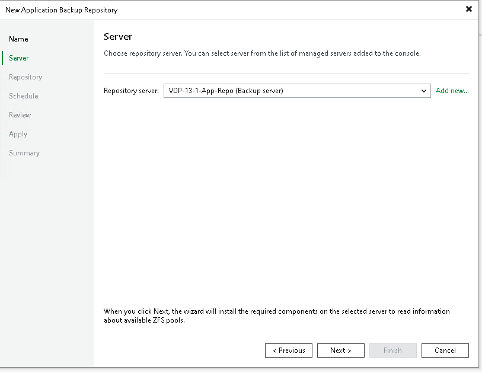
Because we have added the VIA as a managed server we will see this in the drop down, select this but if you have not yet added the server you could select “Add New” and run through that process.
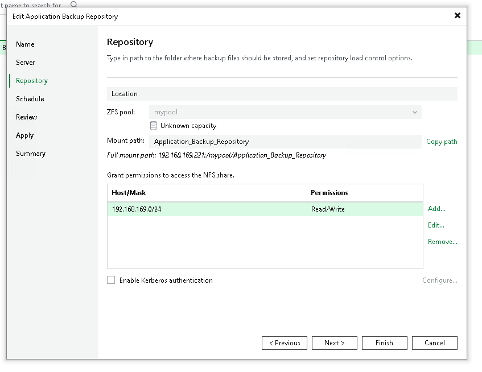
We then need to define our repository, we will grant permissions for the NFS share.
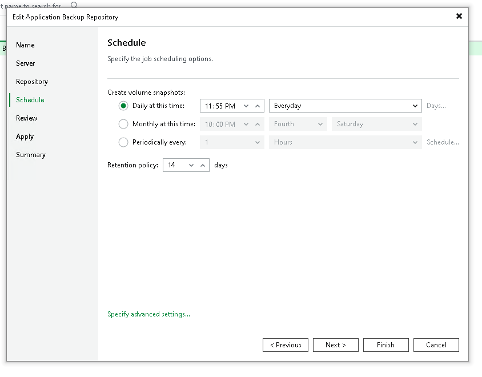
We can then define our snapshot schedule.
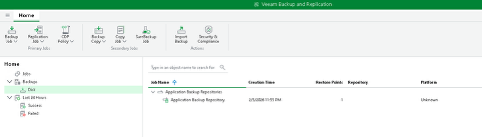
And now on your client, whatever it is you want to send to the repository you would mount this NFS export and start sending those exports or dumps to it. Within Veeam Backup & Replication you will see the snapshots looking something like this based on the schedule you set.
We should also talk about recovery options, this is where my images might differ from the GA but the same concept will be available. When you right click on your snapshots in the above screen you will have a recovery option.
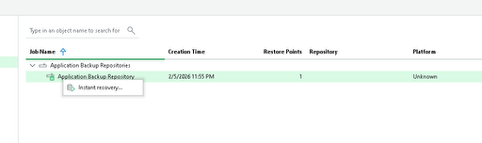
When the “Instant Recovery” is clicked a new window appears and you can choose your available restore point.
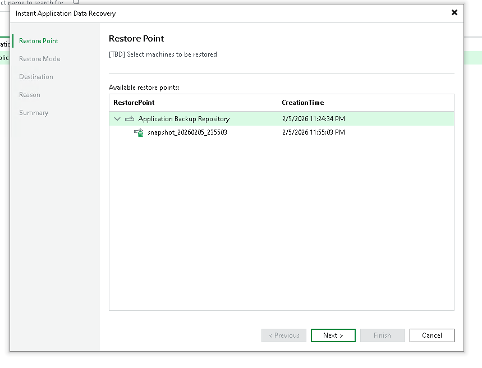
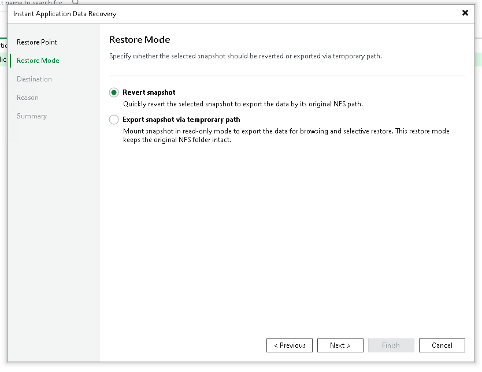
There are two restore modes available,
Revert the snapshot is going to rip and replace the contents of the NFS Export
Export snapshot via a temporary path is going to enable you to mount the snapshot as a new export so you can go and pick what you want and possibly copy and paste.
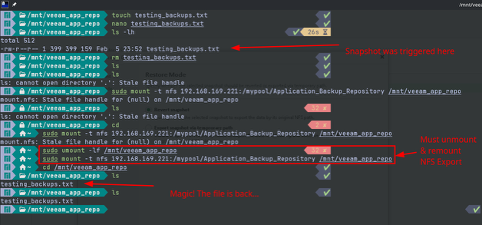
If you chose the revert snapshot option then you will need to unmount and remount the nfs export.
We can then configure backup copy options to send our backups to additional storage types, offsite locations and different retentions. In a simple way you could give this export to any of your app owners and this is where they can start dumping their data.
“Anything” Backup Repository…
Now you have seen how simple it is to create, there are so many exciting and useful scenarios we could use this for, the first idea I had was a database that lives on a platform without Veeam native support, maybe this is a containerised version of MySQL.
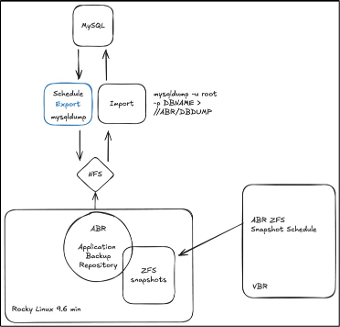
The concept of this repository is that you can send anything that Veeam doesn’t support natively into this and be sure that backup admins have visibility of these backups.
This is focused on MySQL but in theory any database living anywhere could be an option here.
I have been working on a small demo tool that allows me to schedule these database dumps from many different database sources including many of the logos you see above, you could think about this as a centralised database export scheduler.
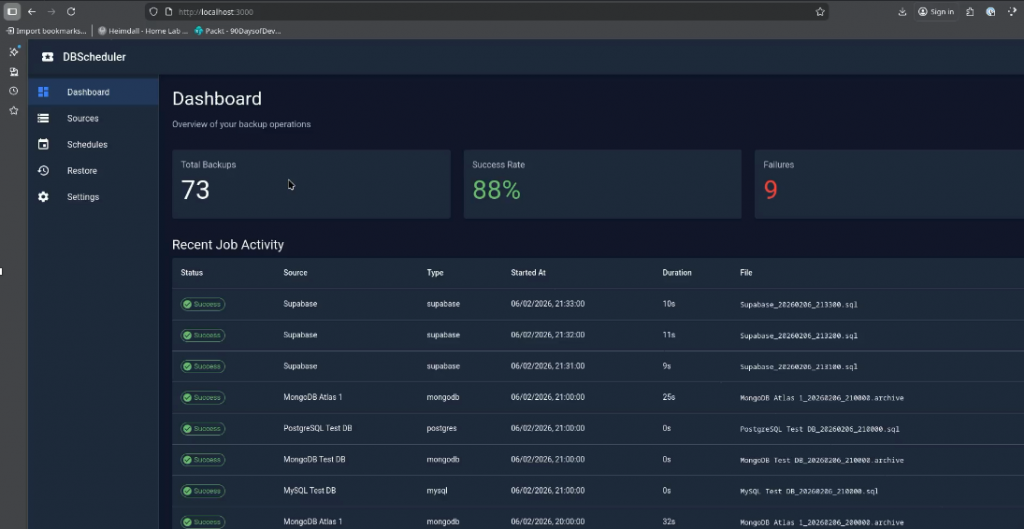
Maybe worth another post down the line on this as well as some of the other use cases I have been thinking about like Proxmox LXC containers exports to this NFS export.
Many ideas, the really exciting part of this feature for me is finding what the community will use this for.