
A common request I have seen within the community is ”Can Veeam protect LXC Containers in Proxmox?” and whilst this is being researched, I wanted to share a workaround that I have been using in my homelab.
I posted about the Application Backup Repository
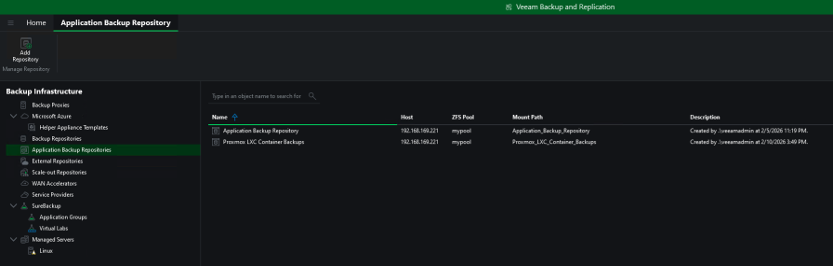
We start by creating a fresh new Application Backup Repository for our LXC backups within Veeam Backup & Replication.
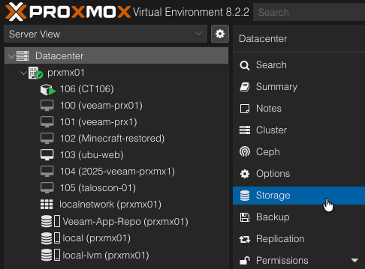
Now we head over to our Proxmox environment to add the new NFS Export. Select the datacenter and then Storage
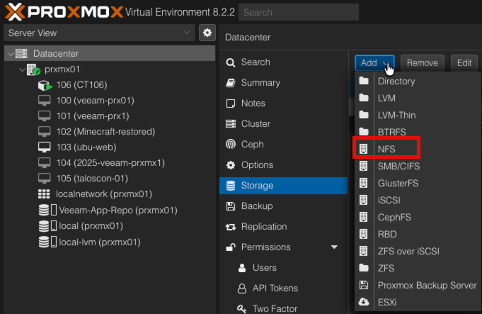
Click add and select NFS
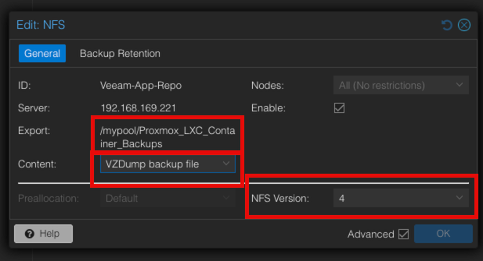
Give it a name,
The server will be your ABR Server
The Export will be the path
Select VZdump backup file and unselect anything else,
Also make sure you select NFS Version
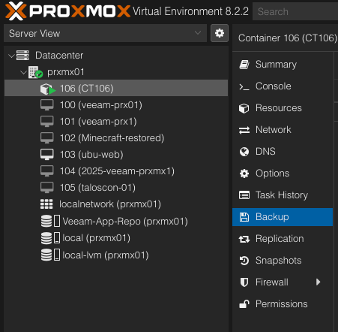
We will now configure Proxmox backup to send to our Application Backup Repository. Firstly select your LXC container and choose Backup.
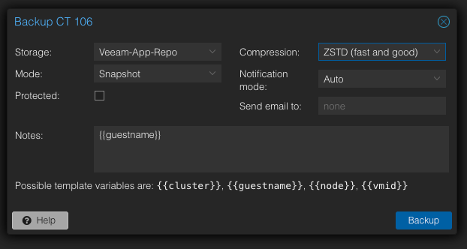
Select the storage to be our newly added NFS Export
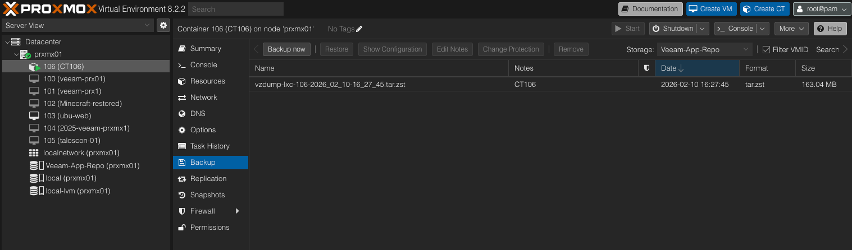
This can then be scheduled via Proxmox backup and you will see the backups that you have created in the following screen.
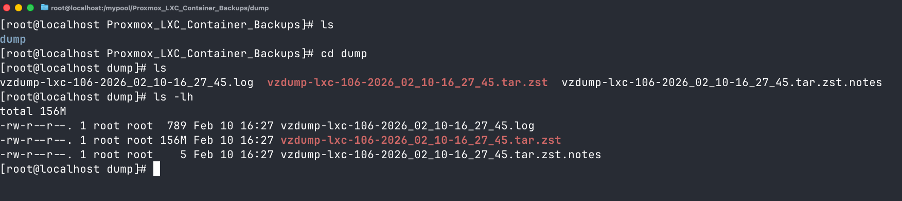
Amazingly, this dump will be found in our export location. This will then be captured by the snapshot schedule we created when adding the Application Backup Repository in Veeam Backup & Replication. You can then use the Backup Copy feature to send this to another location.
I have tested recovery as well; to recover you will need to shut down your container and then restore the contents.