
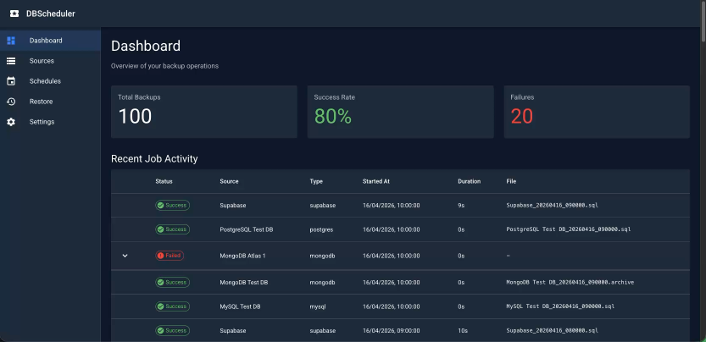
Internally at Veeam we have been working on the Application Backup Repository for a few months, and since hearing about this I wanted a way to be able to demonstrate the ability to send my database backups to these NFS exports. I could not find an existing tool out there that would enable me to hit all the different database types. So in the world of AI accelerating our ideas to reality I got to work on a demo tool, simply called “DBSched”
You can find out what the Veeam Application Backup Repository is here below.
As I said I wanted a demo app that would enable a few things.
- Multi-Database Support
- Scheduling
- Web Based UI
- Some sort of connection testing
- Visual Monitoring and Observability
- Container based, run anywhere
I have seen a rise in the amount of people running databases and other data services in Docker Containers, not going all in on Kubernetes and simply using a Docker container to run their data services, I have also seen a strong growth area around DBaaS, including the public cloud but also the offerings from Supabase, PlanetScale, MongoDB Atlas to name a few.
I have said about these platforms and the potential for backups to be stored within the Veeam Application Backup Repository, so combining the two I went to work and created this demo tool.
Deployment
It is deployed as 2 Docker containers using Docker Compose, it has the following architecture.
- Backend: Golang with Chi router, GORM, and SQLite
- Frontend: Next.js 16 with React 19, Material UI, and TypeScript
- Database: SQLite for metadata storage
- Scheduler: Cron-based job scheduling

Configuration
When up and running you navigate a browser to http://localhost:3000
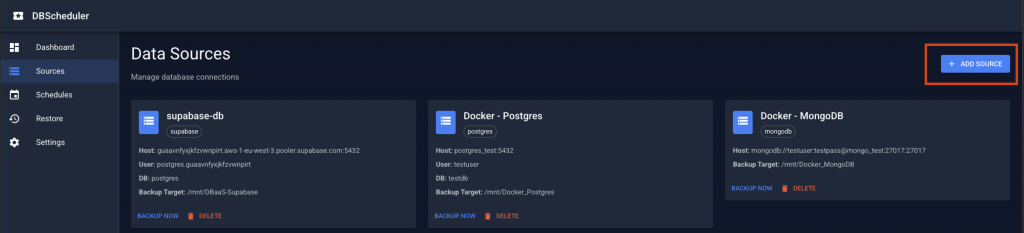
The first thing to do is to create your sources.
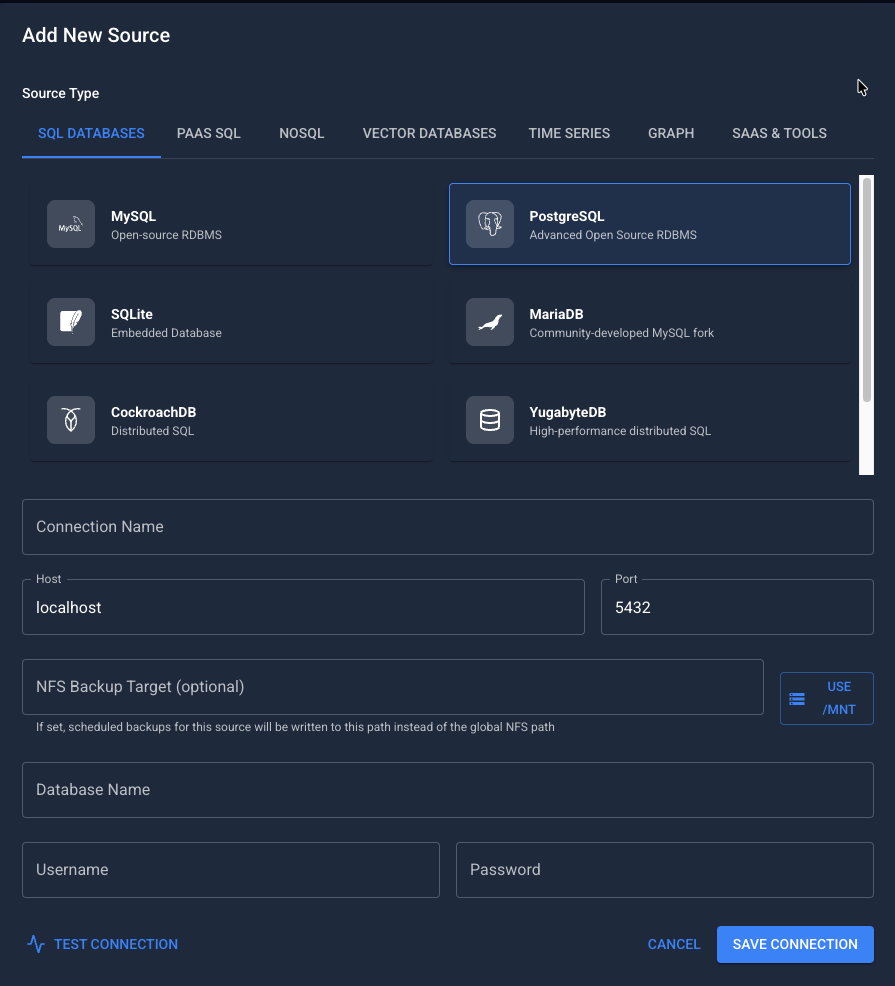
You then select your source type, provide a name for the connection and fill int he details for host, port, database name, username and password. You will also choose the NFS Backup Target (this would be one of those NFS Exports, backed by the Veeam Application Backup Repository)
Once added you can use the backup now button to take a backup out of schedule as a point in time. If you wanted to you could then select the Schedules tab and start creating the cronjob schedules for each source.

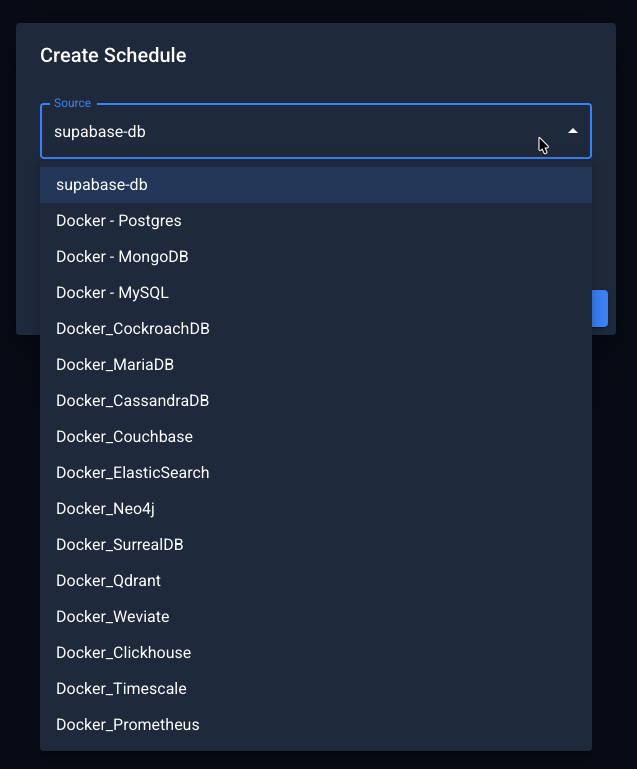
When you click the create schedule you will see the following window
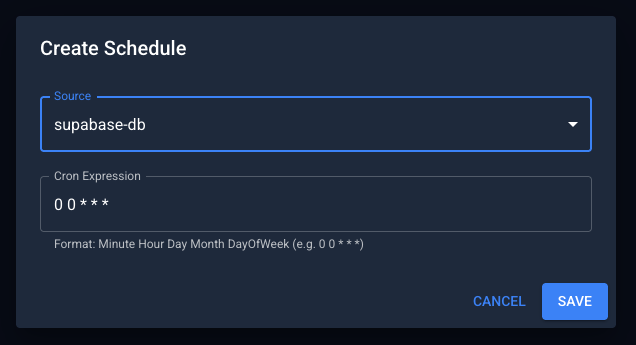
From the source drop down you can select the source you just added, you can see I have been running a lot of tests here against many different databases.
On my machine you can see all the Application Backup Repositories I have added.
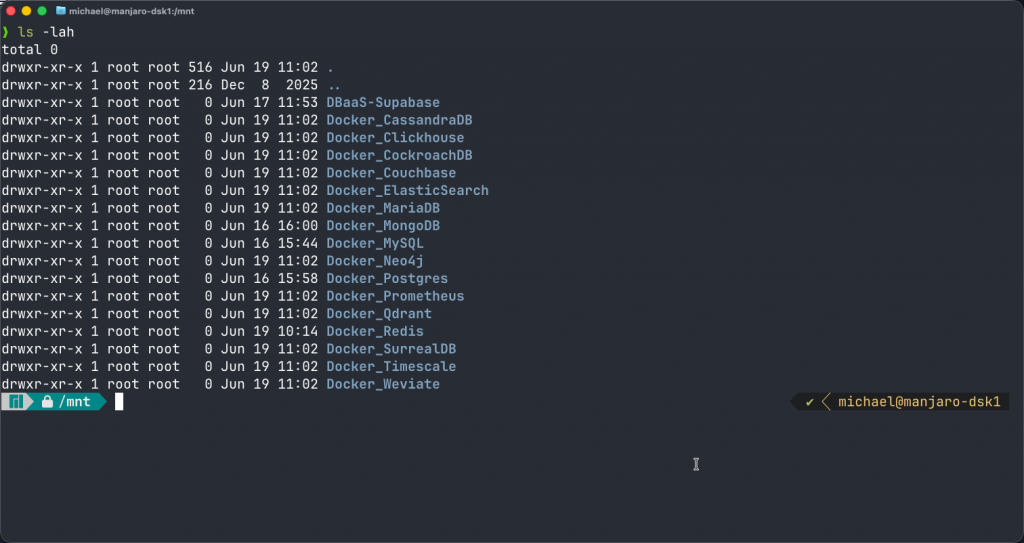
This is where for example your PGdump files etc will land and then be protected by the Veeam schedule that we setup during the ABR being added.
Restore
Generally speaking the PGDump files that live on that export location can be recovered natively within Postgres providing they are within the retention that is being stored there, if something happens to these or the retention has aged out then you might want to recover them back. This tool is focused on restoring the dump files back to the database.
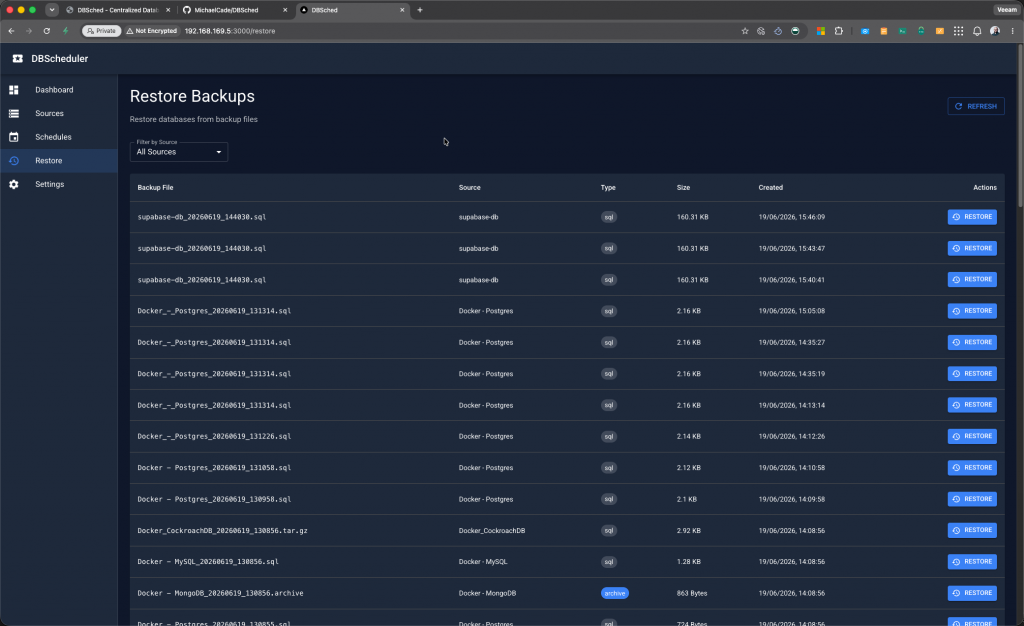
You can select that restore button and perform the restore, you select the specific restore point (dump file) that you want to restore back to the database. Choose the source and target database, in the below image we took it from the same source and target. \
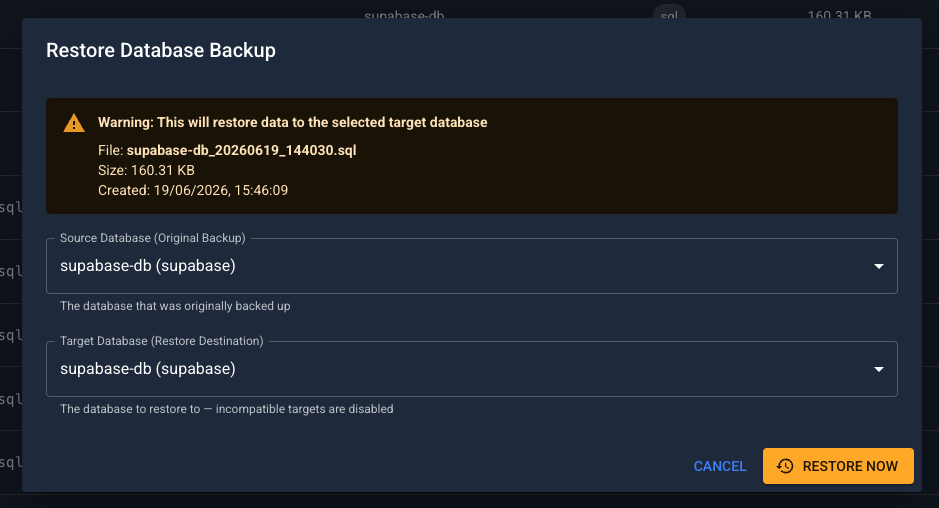
As supabase is our example here, we know that this is mostly postgres under the hood so I wanted a way to also be able to restore this to other locations where possible. So I made it possible to restore this backup file to say a postgres instance running in a local docker container.
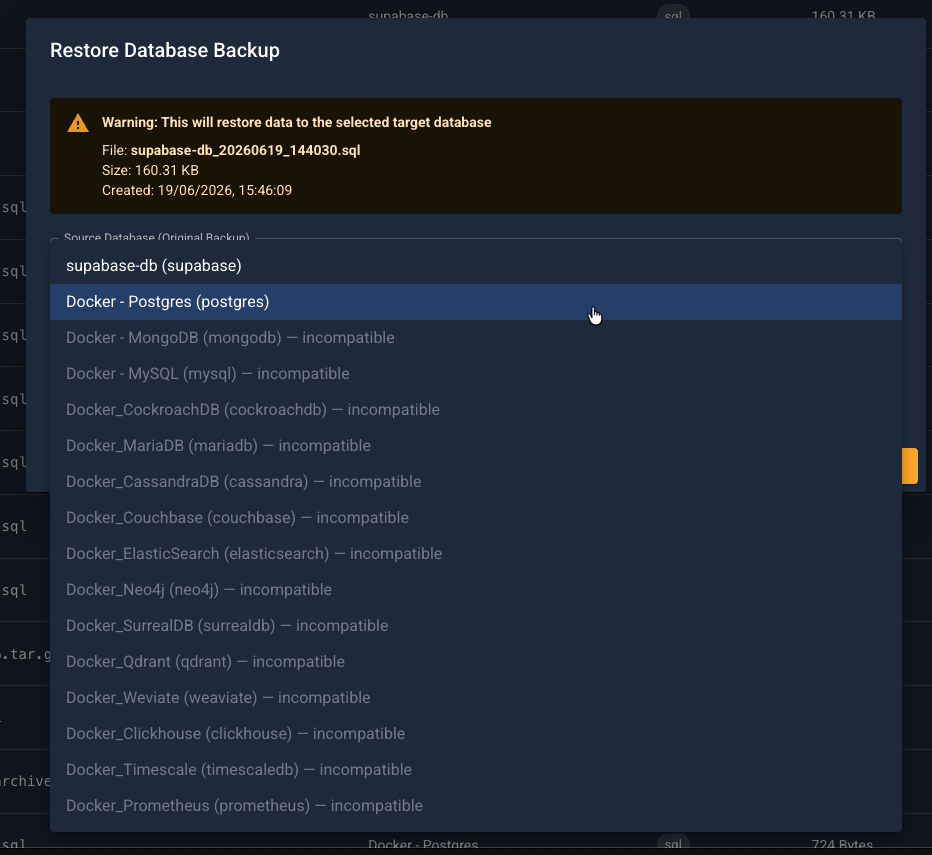
You will hopefully see that many of the other options are greyed out as they are not compatible.
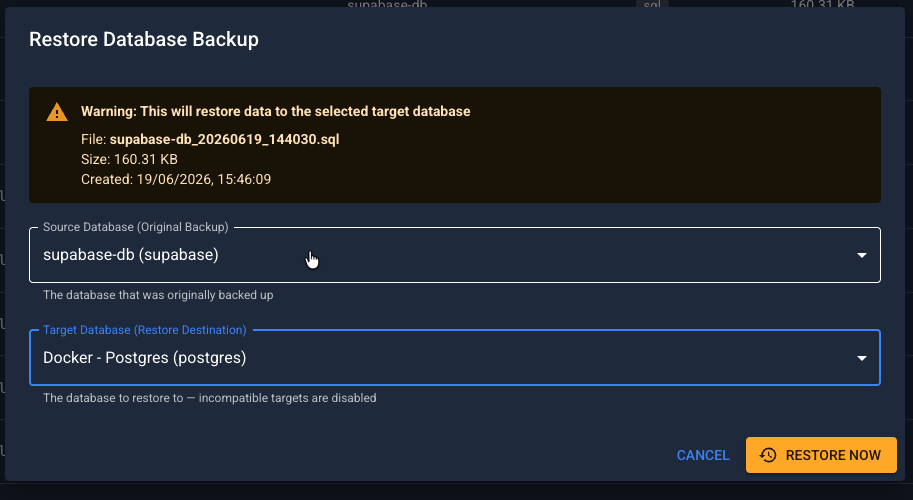
To note again this is a demo application I created to show how we could use the Veeam Application Backup Repository as a place to manage additional retention of those dump files rather than relying on them just landing on an NFS export or even worse a local disk of the database server.
I was not able to find a commercial equivalent or an open source project that provided the same breadth of database and data service support but open to any feedback on that. I have not released the code but you will have to let me know if this is something that people would want to see and use in their home labs.
For the record, it is not a Veeam tool I am just leveraging the Veeam ABR to store those exports from the database and then using that to capture snapshots and then backup copies of those exports. In theory though this will work with any NFS export location.